DealDesk features

The workflows behind a connected real estate deal.

Explore the product in the order real estate teams use it: manage the lead, understand the sale, control availability, collect revenue and complete the handover.

Why the operating model matters
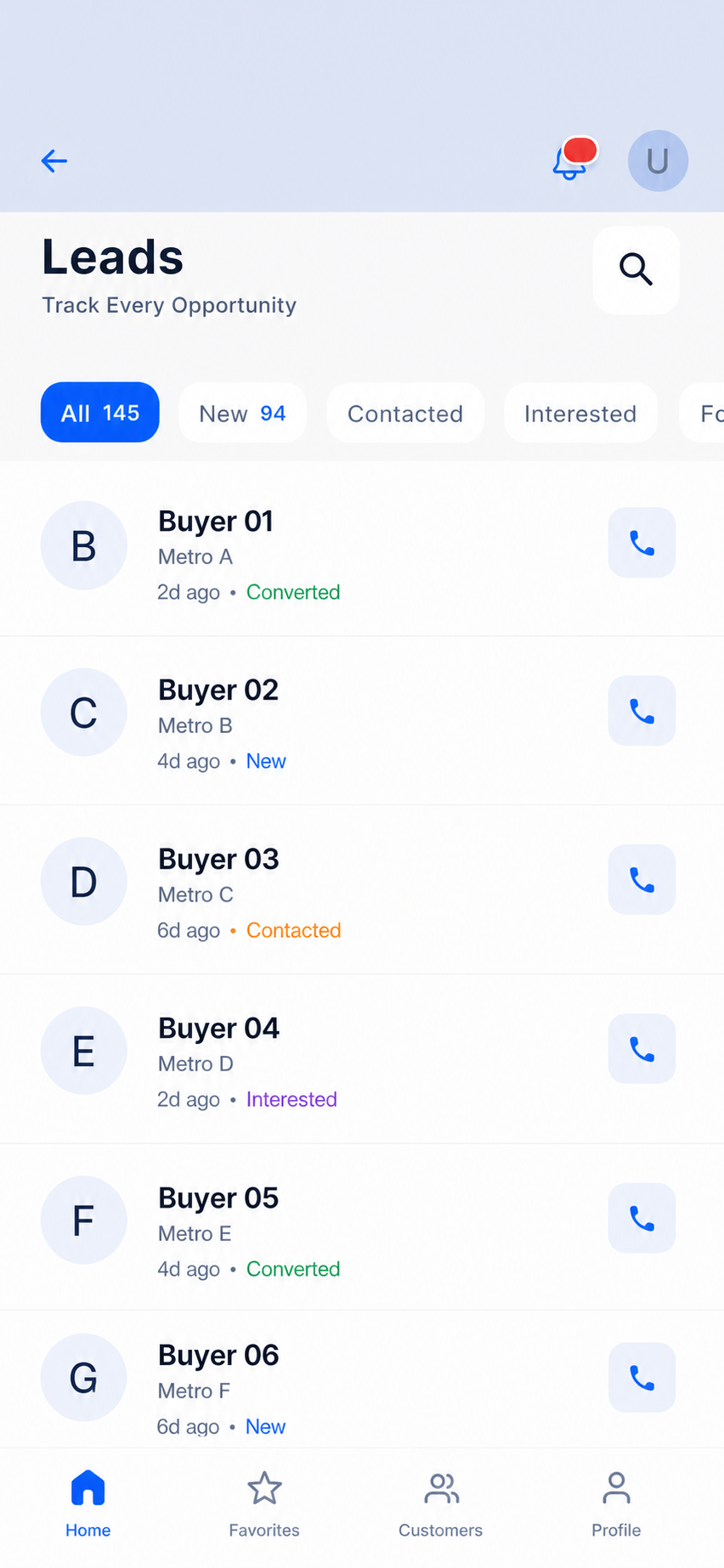
Anonymised DealDesk Lead & customer workspace screen with visible sample data
Anonymised DealDesk Lead & customer workspace

Capture

Leads and customers

Convert

AI, inventory and bookings

Collect

Milestones and ledgers

Complete

Partners and post-sales

Product proof library

A feature should show the workflow it improves.

The representations below are anonymised product scenes. They show the type of information and sequence a team can expect to work with, without exposing customer data.

01 / Lead and customer management

Capture every opportunity, then keep the relationship visible.

Bring lead source, ownership, customer history, follow-up status and communication context into a workflow the sales team can use every day.

WorkflowLead capture → owner and status → follow-up → customer relationship

Used bySales representatives, team leads and customer teams

Typical scenario

A sales manager reviews new enquiries by owner and status, then sees which buyer needs a follow-up before the next site-visit window.

  • Clear ownership
  • Follow-up visibility
  • Customer context
Explore this workflow
Anonymised DealDesk Lead & customer workspace screen with visible sample data
Anonymised DealDesk Lead & customer workspace

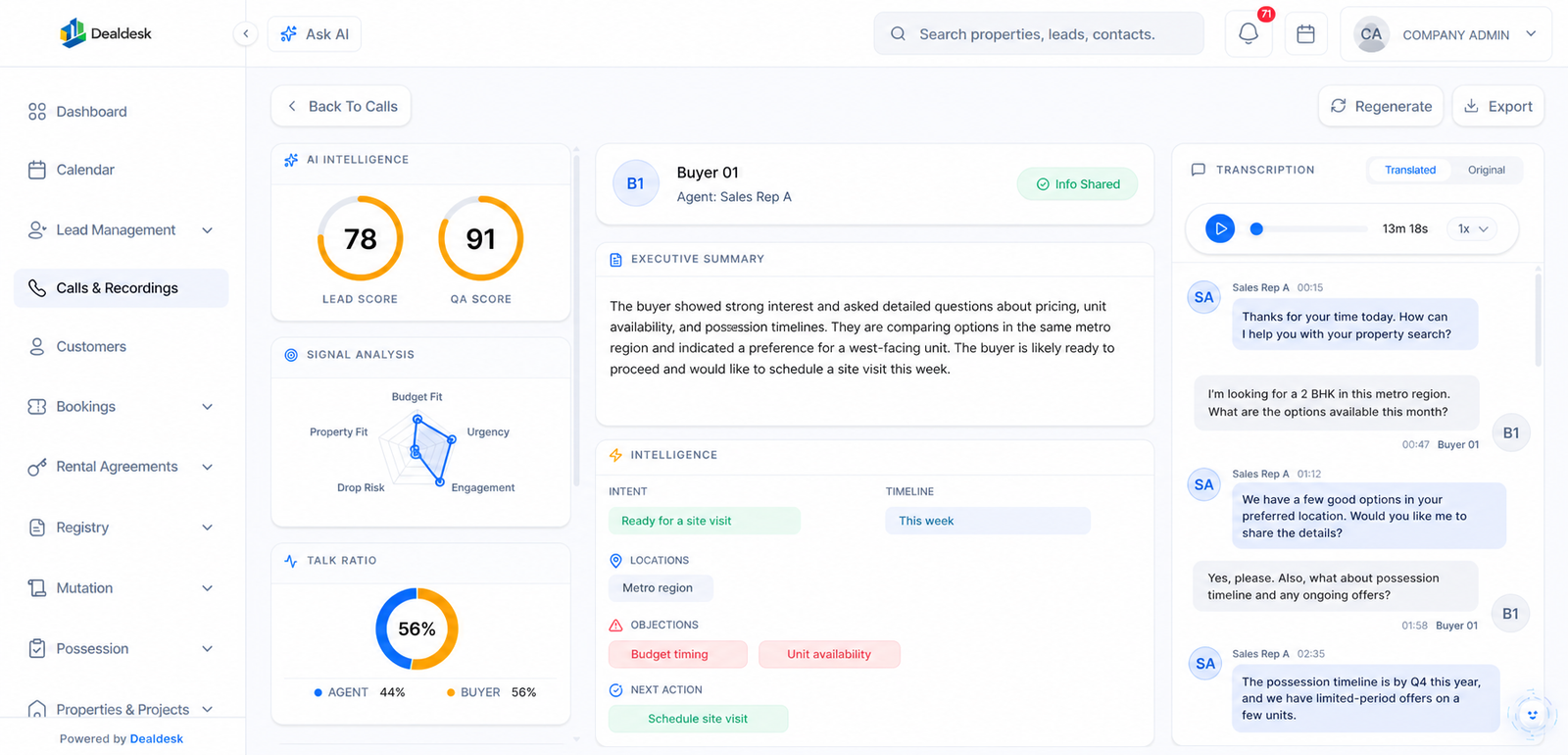
02 / AI sales intelligence

Review the conversation, not only the final outcome.

Use call transcription and analysis to surface summaries, buyer intent, objections, engagement signals and QA context for the people responsible for follow-up and coaching.

WorkflowRecorded call → summary → intent and objection signals → next action

Used bySales representatives, sales leaders and quality managers

Typical scenario

A manager opens a completed call, reviews intent and objections, and gives the responsible sales representative a clear next action.

  • More useful call review
  • Prioritised follow-up
  • Coaching context
Explore this workflow
Anonymised DealDesk Call intelligence screen with visible sample data
Anonymised DealDesk Call intelligence

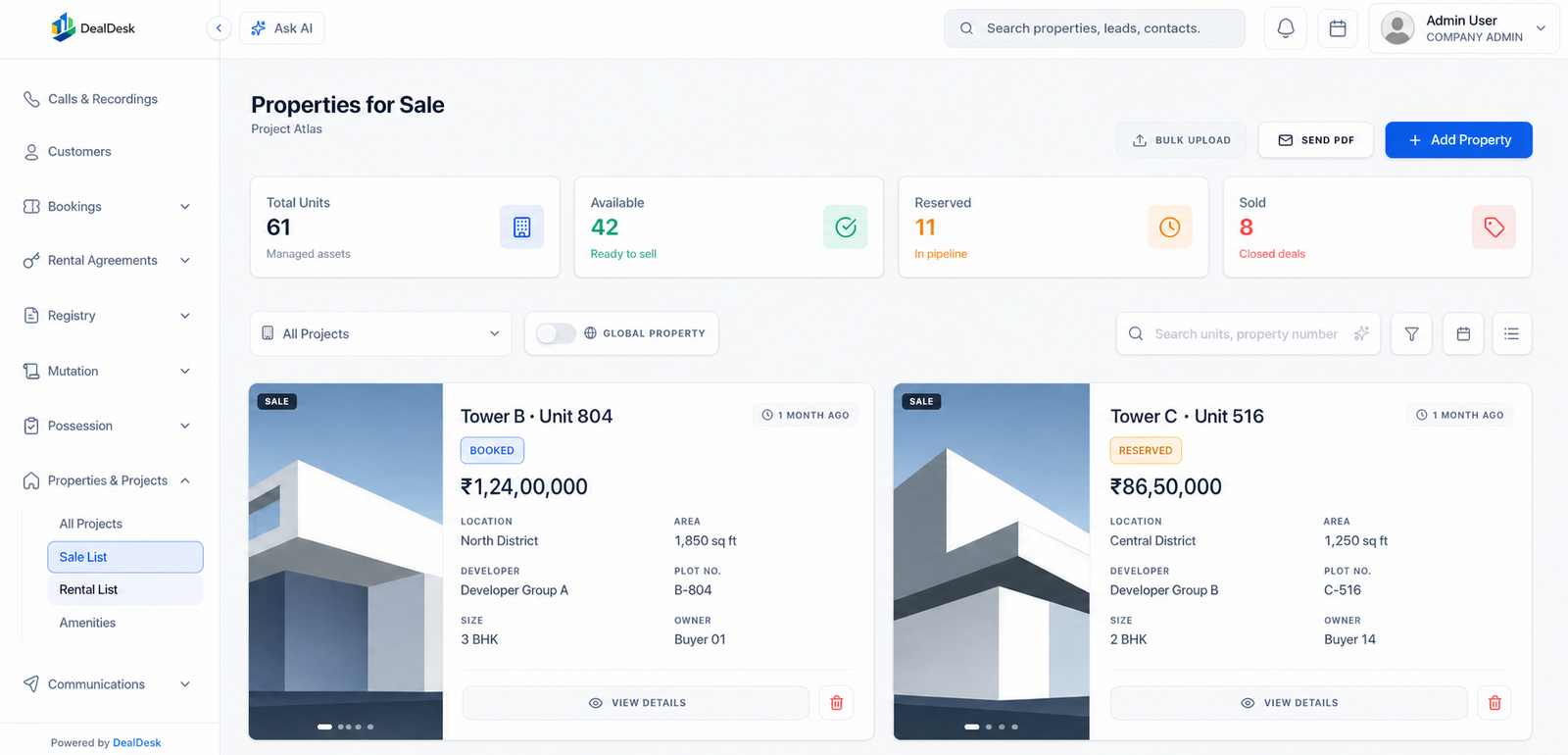
03 / Live inventory and bookings

Connect the unit record to the commercial decision.

Give project, property and unit availability a place beside the lead and booking workflow, so teams can work from the current commercial context.

WorkflowProject or unit → availability → reservation → booking ownership

Used bySales, project operations and channel partners

Typical scenario

A sales representative checks Unit 804 before promising availability, then carries the same unit context into the booking conversation.

  • Availability clarity
  • Controlled reservations
  • Booking continuity
Explore this workflow
Anonymised DealDesk Inventory workspace screen with visible sample data
Anonymised DealDesk Inventory workspace

04 / Collections and finance operations

Carry the booking context into every collection step.

Support the operational chain from payment schedule to demand note, receipt and customer ledger, so collections work is not separated from the deal.

WorkflowBooking → payment schedule → demand and receipt → customer ledger

Used byFinance, collections, account teams and sales leadership

Typical scenario

A collections executive sees the next due milestone beside the booking value and customer ledger, rather than reconciling separate spreadsheets.

  • Milestone visibility
  • Connected customer ledger
  • Collection coordination
Explore this workflow

Collections workspace

Buyer 01 · Project Atlas

On track

Booking value

₹1,24,00,000

Collected

₹31,00,000

Next due

₹18,60,000

Milestone schedule

Sample record

Booking receipt₹12,40,000Received
Foundation demand₹18,60,000Due this week
Structure milestone₹21,70,000Scheduled
Anonymised DealDesk collections workspace

05 / Channel partner management

Support broker collaboration with commercial control.

Keep partner relationships, deal attribution, controlled property context and commission workflows connected without treating channel sales as an afterthought.

WorkflowApproved partner → attributed deal → controlled access → commission workflow

Used byChannel-sales leaders, brokers and finance teams

Typical scenario

A channel-sales lead verifies attribution and status before a partner-facing update or commission review is issued.

  • Partner attribution
  • Controlled visibility
  • Commission context
Explore this workflow

Partner workspace

Partner record

Project AtlasSample workspace
Approved partners28 active
Attributed deals16 in progress
Commission review4 due this week

Open

16

Due

4

Done

12

Anonymised DealDesk Partner workspace

06 / Post-sales operations

Let handover work begin with the booking record, not a fresh spreadsheet.

Use a connected operating view for registry, mutation and possession processes, preserving the customer and commercial context through completion.

WorkflowBooked customer → documents → registry and mutation → possession

Used byPost-sales, customer service and operations teams

Typical scenario

A post-sales coordinator starts the handover checklist with the customer, unit and document context that was created at booking.

  • Document continuity
  • Clear handover state
  • Shared customer context
Explore this workflow

Post-sales workspace

Handover record

Project AtlasSample workspace
Registry documents8 verified
Mutation workflow3 in review
Possession checklist12 complete

Open

16

Due

4

Done

12

Anonymised DealDesk Post-sales workspace

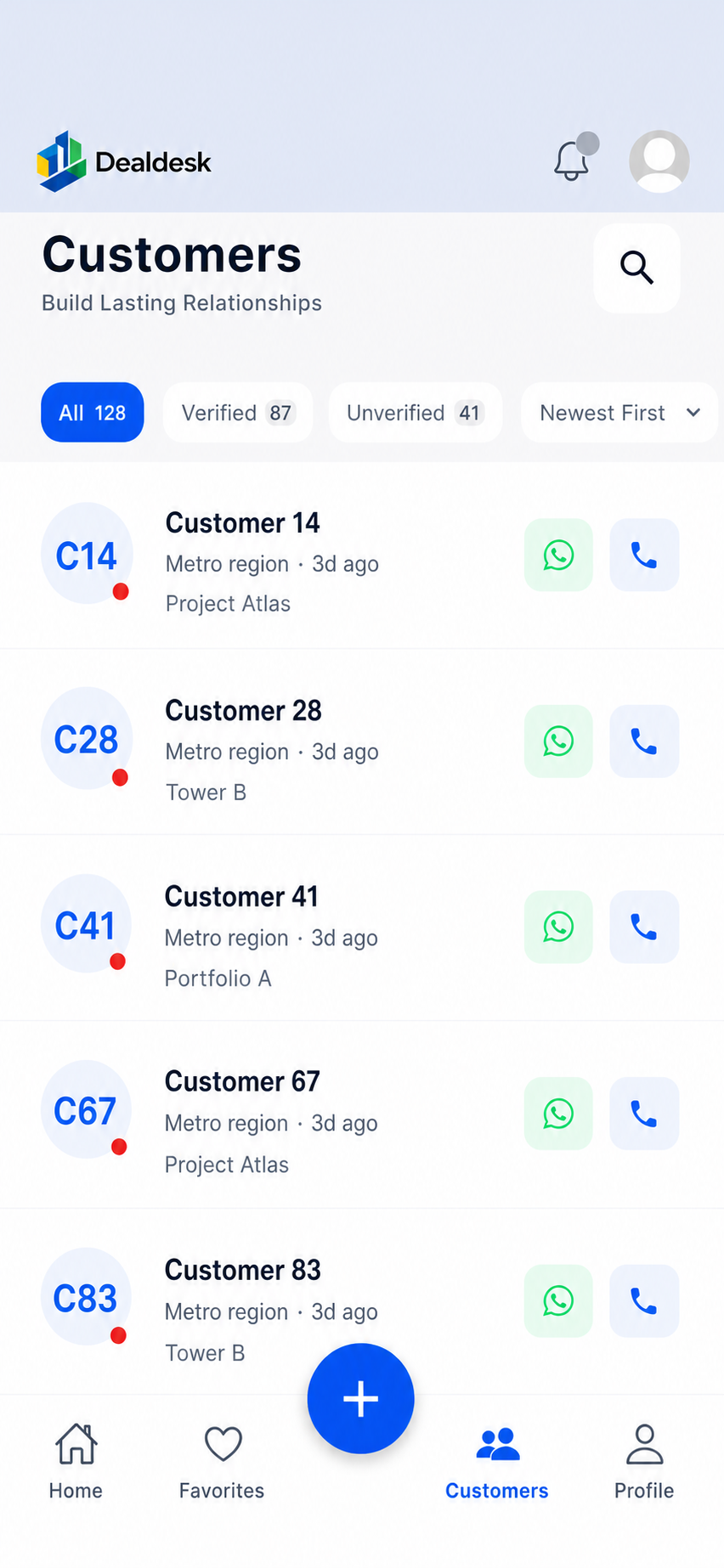
07 / Mobile field operations

Put the next action in the hands of the field team.

Mobile workflows help teams find a property, customer or lead, move quickly through routine actions and retain context when they are away from a desktop workspace.

WorkflowMobile search → customer or property context → quick action → shared update

Used byField sales, site teams and relationship managers

Typical scenario

A field representative finds a buyer or property on mobile, records the next action and returns the update to the shared operating view.

  • Faster daily actions
  • Field-ready context
  • Shared operational view
Explore this workflow
Anonymised DealDesk Mobile workspace screen with visible sample data
Anonymised DealDesk Mobile workspace

See the connected workflow

Map the DealDesk workflows to your current sales and operations process.